




Intent: demonstrate
Scoring above 30 on the ACT places students in the top 4% of all test takers nationwide—an exceptional academic achievement that signals college readiness, scholarship potential, and intellectual excellence. With a composite score scale ranging from 1 to 36, breaking the 30-point threshold demonstrates mastery across English, Mathematics, Reading, and Science sections that fewer than one in twenty-five students attain.
Yet most schools announce these outstanding achievements through brief morning bulletins or static honor boards that quickly become outdated, failing to provide these exceptional students with recognition proportional to their accomplishment. Traditional leaderboards—printed posters in hallways or fixed plaques limited by physical space—cannot display year-over-year comparisons, celebrate multiple achievement tiers, or create the interactive engagement that inspires underclassmen toward similar excellence.
This video-focused walkthrough demonstrates how digital leaderboard displays transform ACT 30+ recognition from temporary acknowledgment into permanent, interactive celebration. Discover visual demonstrations of touchscreen systems that automatically rank and display high achievers, provide detailed score breakdowns, track historical trends, and create engaging recognition environments that honor academic achievement with the same prominence traditionally reserved for athletic records.
Students who score 30 or above on the ACT gain access to highly selective universities and merit scholarship opportunities worth hundreds of thousands of dollars. According to ACT’s own research, these top-tier scores predict college success with remarkable accuracy and position students for admission to the nation’s most demanding academic programs. Schools that systematically celebrate these achievements establish cultures where intellectual accomplishment receives appropriate recognition while providing high achievers with visible honors that validate years of academic dedication.

Digital leaderboards create professional, permanent recognition environments for top ACT scorers
Video Specifications: ACT 30+ Digital Leaderboard Demonstration
Before exploring the walkthrough content, understanding the technical specifications helps schools assess feasibility and plan implementation.
| Specification | Details |
|---|---|
| Video Length | 4:30 minutes |
| Aspect Ratio | 16:9 (1920×1080 landscape) |
| Target Platform | Campus lobby displays, web embed, social sharing |
| Key Demonstration | Auto-ranking leaderboard with student profiles, score breakdowns, historical comparisons |
| Primary Features | Real-time score updates, filterable views, achievement tiers, college acceptance overlays |
| Accessibility | Closed captions, high-contrast mode, screen-reader compatible interface |
This walkthrough demonstrates a typical ACT 30+ leaderboard installation operating in a high school main lobby, showing both automated ranking functionality and interactive exploration capabilities that allow students, staff, and visitors to engage with academic achievement data.
Scene-by-Scene Breakdown: Digital Leaderboard Walkthrough
The following timestamp-indexed breakdown details the on-screen actions, visual transitions, and narration prompts that compose the complete video demonstration.
Scene 1: Establishing Shot (0:00 – 0:25)
Visual Elements:
- Camera opens on high school main lobby during morning arrival
- 55-inch vertical-orientation touchscreen mounted on feature wall
- Screen displays “ACT 30+ Club – Class of 2025” header with animated school crest
- Scrolling leaderboard shows top 15 scorers with composite scores
On-Screen Action:
- Display cycles through achievement tiers: 30-32 (silver badges), 33-34 (gold badges), 35-36 (platinum badges)
- Auto-advance feature highlights each student for three seconds before transitioning
- Date stamp in corner shows “Last Updated: December 2024”
Narration Prompt: “At [School Name], students who score 30 or above on the ACT join an exclusive group representing the top 4% of test takers nationwide. Our digital leaderboard provides these exceptional students with permanent recognition in the school’s most visible location, celebrating academic excellence with the same prominence we award athletic champions.”

Lobby-mounted touchscreens provide prominent, accessible platforms for academic recognition
Scene 2: Touch Interaction – Individual Profile View (0:26 – 1:15)
Visual Elements:
- Hand enters frame and taps on a student entry (composite score: 34)
- Screen transitions to full-profile view with smooth animation
- Profile displays student photo, name, graduation year, and composite score
- Section breakdown shows individual scores: English 35, Math 33, Reading 36, Science 33
On-Screen Action:
- Progress bars visualize each section score relative to maximum (36)
- Timeline shows test date and previous attempts (if applicable)
- “College Destinations” module displays acceptances (Cornell, Northwestern, Duke)
- Scholarship callout highlights “National Merit Finalist – $60,000 awarded”
Narration Prompt: “Unlike static plaques that provide only names and scores, interactive displays let viewers explore detailed achievement profiles. Touch any student to view their complete testing journey—section-by-section breakdowns, improvement trajectories, college acceptances, and scholarship awards. This depth of recognition honors not just the final score, but the dedicated preparation these students invested to reach exceptional performance levels.”
Scene 3: Filter and Comparison Features (1:16 – 2:10)
Visual Elements:
- User returns to main leaderboard view
- Filter menu slides in from right side of screen
- Available filters: “By Graduation Year,” “By Score Range,” “By Subject Strength,” “Show Improvement Journeys”
On-Screen Action:
- User selects “Show Improvement Journeys” filter
- Display reorganizes to highlight students who improved 5+ composite points between attempts
- Before/after score cards appear with arrow graphics showing growth
- Spotlight feature: Student who improved from 26 to 32 over three attempts
Narration Prompt: “Digital leaderboards do more than rank top performers—they tell achievement stories. Filter options let viewers highlight students who demonstrated remarkable improvement, explore subject-specific excellence, or compare cohorts across graduation years. This flexibility transforms the display from static record to interactive storytelling platform, showing diverse paths to academic success and inspiring students still working toward their score goals.”
Scene 4: Historical Data Visualization (2:11 – 3:00)
Visual Elements:
- Navigation menu transitions to “Historical Trends” section
- Five-year line graph displays number of 30+ scorers per graduating class
- Bar chart breaks down score distribution (30-32, 33-34, 35-36)
On-Screen Action:
- Animated graph shows steady growth: 8 students (Class of 2021) to 23 students (Class of 2025)
- Callout boxes highlight milestone years and contributing factors
- Percentage increase calculation: 187% growth over five-year period
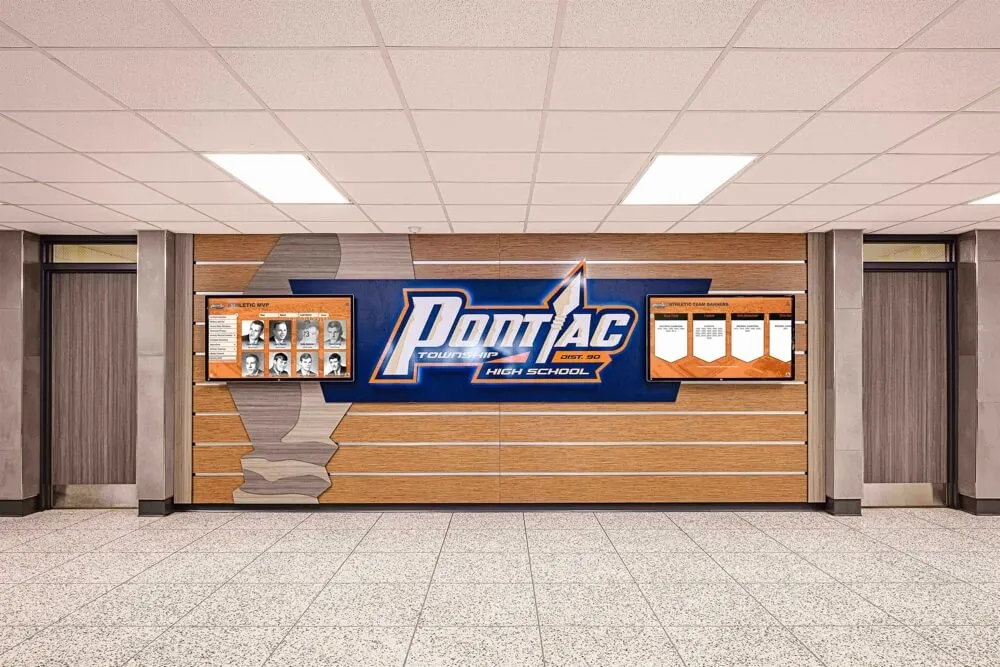
Historical achievement tracking creates traditions and inspires consistent improvement
Narration Prompt: “Viewing historical trends helps schools assess the impact of academic support programs and demonstrates institutional commitment to excellence over time. When students see five-year growth trajectories showing increasing numbers of 30+ scorers, they understand that exceptional ACT performance is attainable and increasingly common within their school culture. This data visualization reinforces that academic achievement is valued, tracked, and celebrated as an ongoing institutional priority.”
Scene 5: Mobile QR Code Integration (3:01 – 3:45)
Visual Elements:
- Camera zooms to QR code displayed in bottom corner of screen
- Smartphone enters frame scanning the code
- Mobile browser opens to mirror leaderboard interface
- Phone screen shows same student profiles, filterable by name or score
On-Screen Action:
- User navigates mobile version, demonstrating identical functionality to physical display
- Share button generates social media post: “Congratulations to our ACT 30+ Club members!”
- Parent views student profile remotely, reading achievement details
Narration Prompt: “QR code integration extends recognition beyond the physical display. Parents attending evening events can scan to view current leaderboards from home. Students share their profiles via social media directly from their phones. College counselors access the data during advising meetings. This connectivity ensures that academic recognition reaches audiences far beyond those who physically walk past the lobby display, amplifying the celebration and making achievement data accessible whenever needed.”

Touchscreen kiosks invite interaction and exploration, making recognition an engaging experience
Scene 6: Administrative Content Management (3:46 – 4:10)
Visual Elements:
- Screen transitions to administrative backend interface
- Dashboard shows “Add New Achievement” form with data fields
- Sample entry: Student name, test date, composite score, section scores, photo upload
On-Screen Action:
- Administrator enters new ACT results received via score report
- Form auto-calculates achievement tier (33 composite = gold badge)
- Preview mode shows how entry will appear on public display
- “Publish” button updates live display in real-time
Narration Prompt: “Remote content management systems allow counselors and administrators to update leaderboards within minutes of receiving score reports. No technical expertise required—simply enter score data through straightforward web forms, upload student photos, and publish instantly. Real-time updates ensure the display remains current throughout testing cycles, with scores from December, February, April, and June test dates appearing immediately as results arrive.”
Scene 7: ADA Compliance Demonstration (4:11 – 4:30)
Visual Elements:
- Accessibility menu icon highlighted in top-right corner
- User selects “High Contrast Mode” – color scheme shifts to yellow text on black background
- Text scaling option increases font sizes by 150%
- Screen reader demonstration shows audio narration of leaderboard entries
On-Screen Action:
- Voice output reads: “Rank 1, Sarah Chen, Class of 2025, Composite Score 36”
- Touch targets enlarge for easier selection
- Navigation simplified to sequential browsing mode
Narration Prompt: “Inclusive design ensures all students can engage with academic recognition regardless of visual abilities. High-contrast modes, adjustable text scaling, and screen reader compatibility meet ADA requirements while demonstrating institutional commitment to accessibility. When recognition systems work for every student, celebration becomes truly inclusive.”

Accessible design welcomes all community members to explore and celebrate student achievements
Transcript: Full Narration for Accessibility
For viewers requiring complete transcript access, the following text captures all spoken narration throughout the video demonstration:
Opening (0:00): “At [School Name], students who score 30 or above on the ACT join an exclusive group representing the top 4% of test takers nationwide. Our digital leaderboard provides these exceptional students with permanent recognition in the school’s most visible location, celebrating academic excellence with the same prominence we award athletic champions.”
Individual Profiles (0:26): “Unlike static plaques that provide only names and scores, interactive displays let viewers explore detailed achievement profiles. Touch any student to view their complete testing journey—section-by-section breakdowns, improvement trajectories, college acceptances, and scholarship awards. This depth of recognition honors not just the final score, but the dedicated preparation these students invested to reach exceptional performance levels.”
Filtering and Comparison (1:16): “Digital leaderboards do more than rank top performers—they tell achievement stories. Filter options let viewers highlight students who demonstrated remarkable improvement, explore subject-specific excellence, or compare cohorts across graduation years. This flexibility transforms the display from static record to interactive storytelling platform, showing diverse paths to academic success and inspiring students still working toward their score goals.”
Historical Trends (2:11): “Viewing historical trends helps schools assess the impact of academic support programs and demonstrates institutional commitment to excellence over time. When students see five-year growth trajectories showing increasing numbers of 30+ scorers, they understand that exceptional ACT performance is attainable and increasingly common within their school culture. This data visualization reinforces that academic achievement is valued, tracked, and celebrated as an ongoing institutional priority.”
QR Integration (3:01): “QR code integration extends recognition beyond the physical display. Parents attending evening events can scan to view current leaderboards from home. Students share their profiles via social media directly from their phones. College counselors access the data during advising meetings. This connectivity ensures that academic recognition reaches audiences far beyond those who physically walk past the lobby display, amplifying the celebration and making achievement data accessible whenever needed.”
Content Management (3:46): “Remote content management systems allow counselors and administrators to update leaderboards within minutes of receiving score reports. No technical expertise required—simply enter score data through straightforward web forms, upload student photos, and publish instantly. Real-time updates ensure the display remains current throughout testing cycles, with scores from December, February, April, and June test dates appearing immediately as results arrive.”
Accessibility (4:11): “Inclusive design ensures all students can engage with academic recognition regardless of visual abilities. High-contrast modes, adjustable text scaling, and screen reader compatibility meet ADA requirements while demonstrating institutional commitment to accessibility. When recognition systems work for every student, celebration becomes truly inclusive.”
Understanding ACT Score Distribution and Achievement Tiers
To design effective recognition systems, schools benefit from understanding how ACT scores distribute across national testing populations and what achievement levels merit celebration.
National ACT Score Benchmarks
According to data published by ACT, Inc., composite scores follow predictable distribution patterns that help contextualize individual achievement:
National Score Distribution:
- Average composite score: 19.8 (Class of 2024)
- 75th percentile: 24 composite
- 90th percentile: 28 composite
- 95th percentile: 30 composite
- 99th percentile: 34+ composite
Percentile Rankings for Top Scores:
- Score 30: Top 4% (96th percentile)
- Score 31: Top 3% (97th percentile)
- Score 32: Top 2% (98th percentile)
- Score 33: Top 1% (99th percentile)
- Score 34: Top 1% (99th+ percentile)
- Score 35: Top 1% (99.9th percentile)
- Score 36: Top 0.1% (99.99th percentile)
Schools celebrating 30+ scorers recognize students performing better than approximately 96-99.9% of all test takers—an achievement deserving prominent recognition.
Creating Meaningful Achievement Tiers
Digital leaderboards work most effectively when they establish clear achievement tiers that recognize different levels of exceptional performance:
Suggested Three-Tier Recognition Structure:
Silver Tier: 30-32 Composite
- Represents 96th-98th percentile achievement
- Visual identifier: Silver badge or frame
- Recognition text: “Elite Academic Achievement”
- Approximately 4-6% of test takers reach this tier
Gold Tier: 33-34 Composite
- Represents 99th percentile achievement
- Visual identifier: Gold badge or frame
- Recognition text: “Exceptional Academic Excellence”
- Approximately 1-2% of test takers reach this tier
Platinum Tier: 35-36 Composite
- Represents 99.9th percentile achievement
- Visual identifier: Platinum badge or frame
- Recognition text: “Perfect or Near-Perfect Score”
- Less than 0.5% of test takers reach this tier
Multi-tier systems celebrate all exceptional achievement while providing incremental recognition for students who reach the highest performance levels. This structure motivates continued excellence—students who achieve silver tier status may strive for gold, while gold achievers see platinum as an aspirational goal.
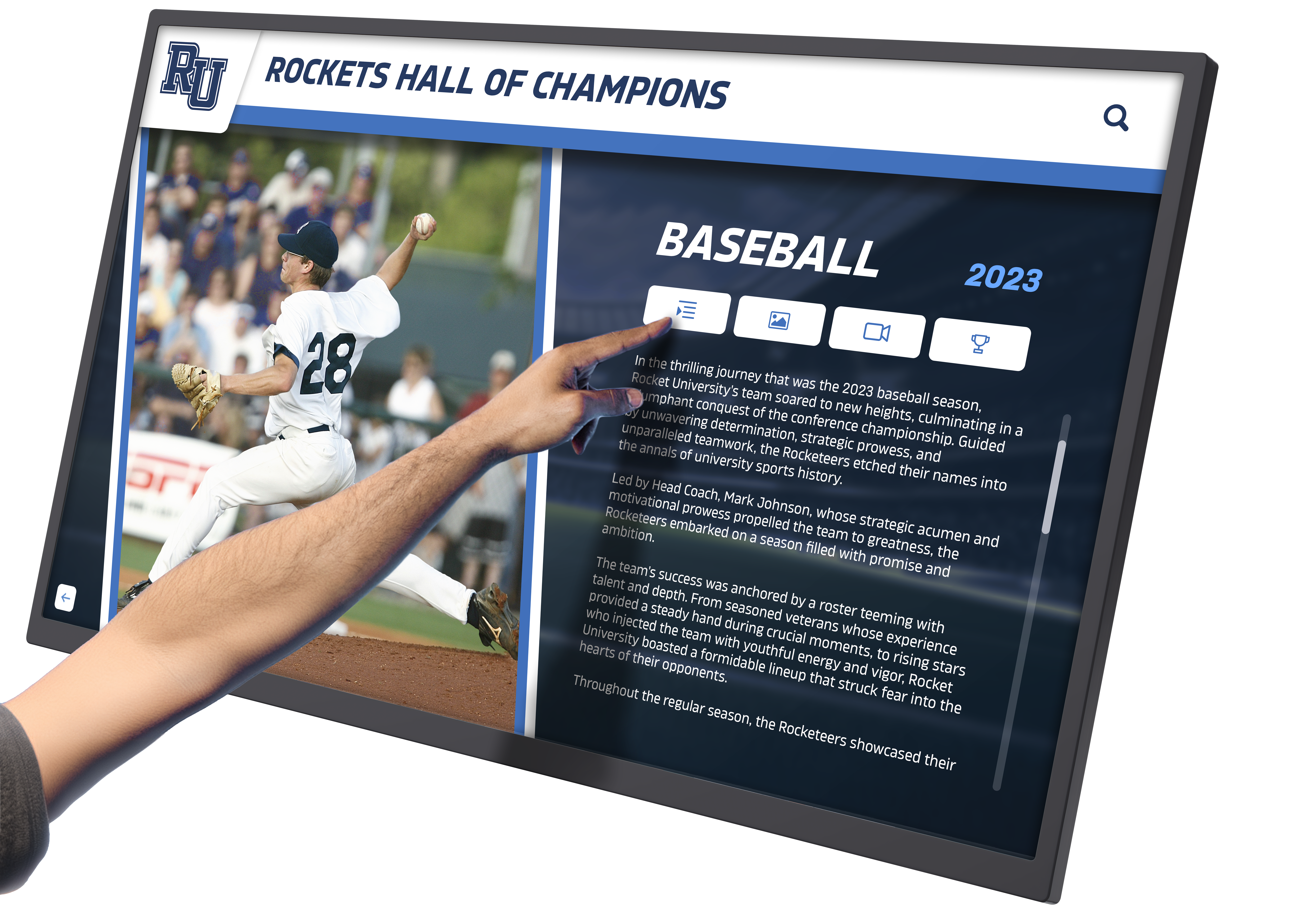
Detailed achievement profiles add depth and context to numerical rankings
Production Notes: Technical Considerations for ACT Leaderboard Video Content
For schools and districts planning to create their own video demonstrations or seeking to understand production requirements, these technical details inform realistic planning.
Equipment and Setup Requirements
Primary Display Hardware:
- 55-inch 4K touchscreen display (1920×1080 minimum resolution)
- Commercial-grade panel rated for 16+ hours daily operation
- PCAP (projected capacitive) touch technology supporting ten-point multitouch
- Portrait or landscape orientation mounting depending on content layout
Recording Equipment:
- Professional camera: Sony A7 III or equivalent mirrorless system
- Lens selection: 24-70mm f/2.8 for flexible framing options
- Tripod with fluid head for smooth panning shots
- External shotgun microphone for clear narration capture
Lighting Setup:
- Three-point lighting configuration to minimize screen glare
- Softboxes positioned at 45-degree angles to display
- LED panels with adjustable color temperature (5600K daylight balanced)
- Practical lighting visible in background for depth and context
Filming Best Practices
Display Interaction Capture:
- Film at 24fps to minimize display refresh artifacts
- Adjust camera shutter speed to 1/50s for smooth screen capture
- Reduce display brightness slightly to prevent blown highlights
- Use polarizing filter to control reflections on touchscreen surface
Narrative Camera Angles:
- Wide establishing shot showing display within lobby context
- Medium shot focusing on display and user interaction
- Close-up of hand touching specific interface elements
- Over-shoulder perspective showing user’s viewing angle
Audio Production:
- Record narration in quiet environment separate from visual filming
- Use pop filter and maintain consistent microphone distance
- Edit narration first, then sync to visual sequences during post-production
- Include room tone capture for natural ambient sound underlays
Post-Production and Accessibility
Editing Workflow:
- Assemble visual sequences following script-based scene outline
- Sync pre-recorded narration to appropriate visual demonstrations
- Add text overlays highlighting key features or data points
- Include smooth transitions between scenes (fade, cross-dissolve)
Caption and Subtitle Requirements:
- Generate closed captions meeting WCAG 2.1 AA standards
- Include speaker identification when multiple voices present
- Describe significant visual actions not covered by narration
- Provide time-stamped transcript in video description or accompanying document
Export Specifications:
- Master file: ProRes 422 HQ at 1920×1080, 24fps
- Distribution file: H.264 MP4 at 1920×1080, 24fps, 8Mbps bitrate
- Audio: AAC stereo at 256kbps, 48kHz sample rate
- Embed metadata: Title, description, keywords, copyright information
Schools lacking in-house video production capabilities can partner with digital recognition providers who often offer complete video demonstration services as part of implementation support packages.
Implementing ACT 30+ Digital Leaderboards: Strategic Planning Considerations
Beyond understanding video demonstrations, schools planning actual installations benefit from considering practical implementation factors that determine long-term success.
Data Collection and Management Systems
Establishing Score Reporting Workflows:
ACT scores arrive through multiple channels requiring systematic collection processes:
- Student Self-Reporting: Students submit scores voluntarily through counseling office or online form
- Official Score Reports: Counselors receive scores when students designate school as report recipient
- Test Administrator Records: On-site ACT testing coordinators have access to scores for students testing at the school
- College Board Integration: Some schools integrate testing data from student information systems
Recommended Collection Protocol:
- Counseling office sends communication to all students after each ACT test date
- Students who score 30+ are invited to submit official score reports
- Counselor verifies scores against official documentation
- Student grants written permission for public recognition and photo use
- Information transferred to digital display content management system
Privacy and Consent Considerations:
Schools must balance celebration with student privacy preferences:
- Require written permission before displaying any student achievement data
- Allow students to opt for initials or anonymous recognition
- Provide option to display composite score only without section breakdowns
- Respect requests to remove information if student circumstances change
- Ensure FERPA compliance by treating test scores as education records requiring consent for public disclosure
Some students who achieve exceptional scores may prefer private acknowledgment rather than public display. Recognition systems should accommodate individual preferences while encouraging participation by highlighting the inspirational value of visible achievement celebration.
Physical Installation Planning
Optimal Display Placement Locations:
Leaderboard effectiveness depends heavily on strategic placement within campus environments:
High-Priority Locations:
- Main lobby or entrance atrium where all students pass daily
- Counseling office waiting area where college planning occurs
- Academic wing near Advanced Placement or honors classrooms
- Library or media center common areas
Secondary Locations:
- Outside testing coordinator or guidance suite
- Senior hallway or graduating class gathering spaces
- College and career center
- Parent reception areas used during conferences and events
Placement Criteria:
- High foot traffic ensuring consistent visibility
- Adequate ambient lighting without excessive glare
- Sufficient space for small groups to gather without blocking hallways
- Proximity to electrical outlets and network connections
- Clear sightlines from multiple approach angles
Technical Infrastructure Requirements:
- Hardwired ethernet connection (preferred) or reliable WiFi access
- Dedicated electrical circuit to prevent interruptions
- Wall construction capable of supporting 75-100 pound mounted displays
- Climate-controlled indoor environment protecting electronics
Schools should conduct site surveys involving facilities managers, IT staff, and administrators to identify optimal installation locations meeting both visibility and technical requirements.

Hallway installations place recognition in high-traffic areas where students encounter achievements daily
Comparative Recognition: ACT Leaderboards Alongside Other Academic Honors
ACT 30+ leaderboards function most effectively as part of comprehensive academic recognition systems that celebrate diverse achievement types.
Coordinated Academic Recognition Displays
Schools implementing digital leaderboards often expand beyond standardized testing to create multifaceted academic honor systems:
Standardized Testing Excellence:
- ACT scores 30+ (or school-defined threshold)
- SAT scores 1400+
- National Merit recognition (Commended, Semifinalist, Finalist, Scholar)
- Advanced Placement Scholar awards
Academic Program Recognition:
- Honor roll and distinguished honor roll quarterly or semester designations
- Valedictorian and salutatorian announcements
- Departmental academic awards (English, Mathematics, Science, Social Studies)
- Academic letter recipients
Scholarship and College Recognition:
- College acceptance highlights and university commitments
- Scholarship awards exceeding specified thresholds
- Full-ride scholarship recipients
- Service academy appointments
Competition and Achievement Recognition:
- Academic competition results (debate, math team, science Olympiad)
- Regional and state achievement acknowledgments
- National competition qualifiers and winners
- Academic honor societies (National Honor Society, specialized honor societies)
Digital displays can cycle through multiple recognition categories, dedicating screen time proportionally to different achievement types while maintaining unified visual design that signals institutional commitment to academic excellence across all forms.
Balancing Academic and Athletic Recognition
Many schools find that prominent ACT leaderboards help balance recognition ecosystems that historically emphasized athletic achievement over academic accomplishment:
Creating Recognition Equity:
Traditional Imbalance:
- Athletic trophy cases occupy prominent lobby locations
- Championship banners hang in gymnasiums
- Athletic records displayed on scoreboards and facility walls
- Academic achievements acknowledged through brief announcements
Digital Recognition Balance:
- Academic and athletic displays receive equivalent lobby placement
- Digital screens dedicate equal time to intellectual and physical achievements
- Recognition formats parallel: detailed profiles, historical records, team/individual honors
- Institutional messaging emphasizes comprehensive student excellence
Schools implementing side-by-side academic and athletic digital displays report positive cultural shifts where students increasingly view intellectual achievement as equally prestigious and desirable as athletic success. This balance helps students identify with achievement in multiple domains while signaling institutional values to families and community members.
Content Strategy: Keeping ACT Leaderboards Engaging Year-Round
Static leaderboards displaying only current-year scores risk becoming stale and losing community engagement. Strategic content planning maintains interest throughout academic years and testing cycles.
Dynamic Content Rotation Schedule
Testing Cycle Integration (September – June):
Digital leaderboards should reflect the natural rhythm of ACT testing dates and score release schedules:
September (Beginning of School Year):
- Display previous year’s final standings
- Highlight graduating seniors who achieved 30+ scores
- Show “All-Time Best” individual scores by section
- Countdown to September test date for current juniors/seniors
October-November (Fall Test Results):
- Add September test results as they arrive
- Highlight first-time 30+ achievers from current senior class
- Display improvement stories from retake examinations
- Feature college acceptance announcements linked to scores
December-February (Winter Test Season):
- Integrate December test results
- Show mid-year leaderboard rankings
- Highlight students who improved from earlier attempts
- Display scholarship award announcements
March-May (Spring Test Season):
- Add February and April test results
- Display final senior class rankings before graduation
- Highlight cumulative achievement statistics
- Show five-year historical comparisons
June-August (Summer Testing and Planning):
- Feature June test results for juniors entering senior year
- Display summer study program participants
- Show test preparation resources available
- Countdown to September test for next cycle
Content Variation Examples:
Beyond raw score displays, rotation schedules can include:
- Monday: Current year top 20 leaderboard
- Tuesday: Historical comparison showing five-year trends
- Wednesday: “Score Improvement Champions” highlighting largest gains
- Thursday: College destinations of 30+ scorers
- Friday: Subject-specific excellence (highest Math scores, highest Reading scores)
- Weekend: Extended profile features on individual students
This variation maintains visual interest while presenting achievement from multiple perspectives.
Supplementary Content Types
Achievement Context Education:
Many students and families lack understanding of what ACT score levels mean for college admissions and scholarships. Leaderboards can incorporate educational content:
- College admission average ACT score requirements by selectivity tier
- Scholarship threshold information from state university systems
- National percentile rankings explaining score significance
- Test preparation resources available through school and community programs
Inspirational Messaging:
Rotating motivational content reinforces growth mindset and positions high achievement as attainable:
- Quotes from previous 30+ scorers describing preparation strategies
- Timeline graphics showing typical preparation journeys
- Study tip infographics applicable to all achievement levels
- Celebration of incremental progress toward score goals
Community Connection Content:
Linking leaderboard displays to broader school culture strengthens engagement:
- Faculty spotlight featuring teachers who supported student preparation
- Thank-you messages from scholarship recipients to mentors
- Parent testimonials about value of academic recognition programs
- Alumni updates from previous 30+ scorers now attending college
Schools managing comprehensive content strategies report sustained engagement with leaderboard displays rather than the declining interest often seen with unchanging recognition formats.
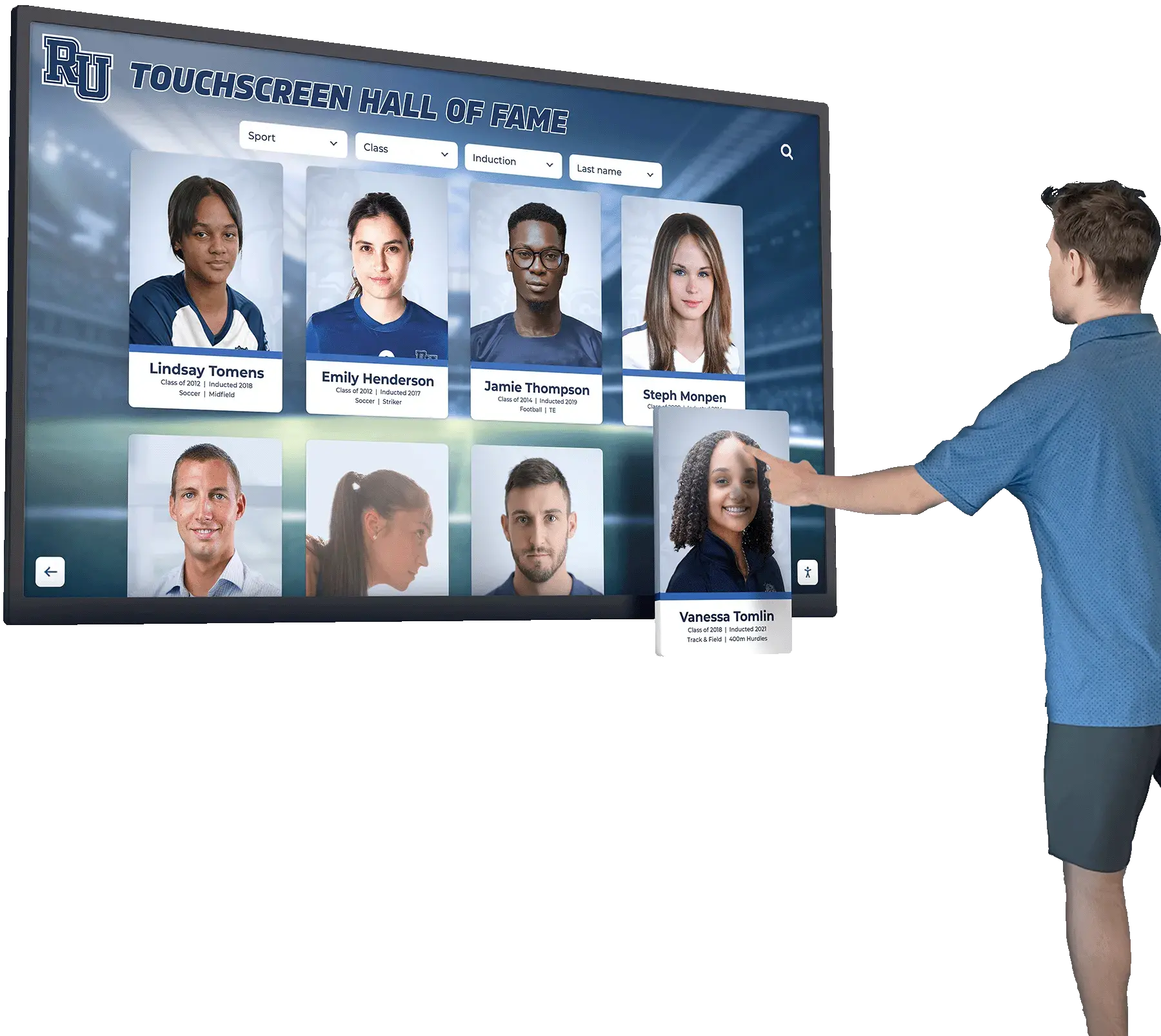
Interactive features encourage extended engagement with recognition content
Technical Platform Considerations: Software and Hardware Selection
Schools planning ACT leaderboard implementations face decisions about technology platforms that will support recognition systems for years to come.
Software Requirements and Evaluation Criteria
Essential Functional Capabilities:
Effective leaderboard software must provide:
Data Management:
- Web-based content management system accessible from any location
- Simple data entry forms requiring no technical expertise
- Batch upload capabilities for adding multiple records simultaneously
- Automatic ranking calculations updating instantly when new scores added
- Historical data preservation maintaining records across multiple years
Display Capabilities:
- Responsive design adjusting to various screen sizes and orientations
- Multiple view options (ranked list, grid layout, profile cards)
- Filter and sort functionality by year, score, section, improvement
- Smooth animations and transitions maintaining professional appearance
- Automatic content rotation with configurable timing
Accessibility Features:
- Screen reader compatibility meeting WCAG 2.1 AA standards
- High-contrast display modes
- Adjustable text sizing
- Keyboard navigation alternatives to touch interaction
- Alt text for all visual elements
Integration Capabilities:
- QR code generation for mobile access
- Social media sharing functionality
- Analytics tracking user engagement patterns
- Optional connections to student information systems
- Mobile-responsive web access matching physical display content
Administrative Controls:
- Role-based permissions for different staff members
- Approval workflows requiring verification before publication
- Scheduling capabilities for timed content release
- Backup and export functions preserving data security
- Activity logging tracking content changes and updates
Hardware Selection and Specifications
Display Technology Comparison:
Schools choose between several display technology types:
Commercial Touchscreen Displays:
- Advantages: Single integrated unit, proven reliability, commercial warranties
- Considerations: Higher upfront cost, less flexibility for unusual sizes
- Typical lifespan: 50,000-60,000 hours (approximately 8-10 years of daily operation)
- Cost range: $3,000-$8,000 depending on size and features
Consumer Touchscreen TVs with Commercial Mounting:
- Advantages: Lower initial cost, widely available sizes
- Considerations: Shorter lifespan, consumer warranties inadequate for commercial use
- Typical lifespan: 20,000-30,000 hours (approximately 3-5 years)
- Cost range: $800-$2,500
Display + Overlay Touch Frame:
- Advantages: Flexibility to use any display, easy replacement of components
- Considerations: Two-piece solution, potential calibration requirements
- Typical lifespan: Display-dependent; touch frames typically 5-7 years
- Cost range: $1,500-$4,000 (display + frame)
Projection Systems with Touch Capability:
- Advantages: Very large display areas possible, less theft concern
- Considerations: Regular maintenance, lamp replacement, ambient light sensitivity
- Typical lifespan: Projectors 2,000-5,000 hours; may require lamp replacement every 1-2 years
- Cost range: $2,000-$6,000 (projector + touch hardware)
Recommended Specifications for School Installations:
For ACT leaderboard applications, these specifications balance cost with functionality:
- Screen Size: 55-inch minimum; 65-75 inch preferred for large lobbies
- Resolution: 1920×1080 (Full HD) minimum; 4K beneficial for text clarity
- Touch Technology: PCAP (projected capacitive) preferred for responsiveness and durability
- Brightness: 400-500 cd/m² for indoor installations in controlled lighting
- Orientation: Portrait orientation typically better for list-based leaderboard content
- Connectivity: Built-in WiFi and ethernet; USB ports for maintenance access
- Operating System: Android-based systems offer balance of capability and ease-of-use
Schools should involve IT departments in hardware selection to ensure compatibility with existing network infrastructure and support capabilities.
Return on Investment: Quantifying the Value of Digital ACT Recognition
While academic recognition systems serve intrinsic values around student celebration, administrators often need to justify technology investments through measurable outcomes.
Measurable Impact Categories
Student Motivation and Achievement Metrics:
Schools implementing prominent ACT recognition systems report observable changes in student behavior:
- Increased enrollment in ACT preparation programs and classes
- Higher numbers of students taking the examination multiple times to improve scores
- Growth in 30+ achiever counts year-over-year following installation
- Increased participation in academic honor programs and advanced coursework
Example Metrics from Implementation Schools:
While specific institutional data varies, schools tracking achievement trends before and after digital recognition installations commonly observe:
- 15-30% increase in students testing multiple times to improve scores
- 10-25% growth in number of 30+ scorers within three years of installation
- 20-40% increase in students using free test preparation resources
- Improved perception of academic achievement importance in student surveys
Family and Community Engagement Benefits:
Digital leaderboards create conversation topics and connection points:
- Parents photographing and sharing student recognition via social media
- Increased family attendance at academic recognition ceremonies
- Community members commenting positively about visible academic emphasis
- Alumni engagement with recognition displays during campus visits
Recruitment and Enrollment Value:
Prospective families touring campuses notice recognition systems:
- Visible academic achievement displays signal institutional priorities
- Touring students see aspirational achievement examples
- Parents appreciate schools that celebrate intellectual accomplishment
- Real estate agents highlighting academic recognition in community marketing
Some schools report that prospective families specifically mention impressive academic recognition systems as factors in enrollment decisions, though isolating this variable from other influencing factors proves difficult.
Cost-Benefit Analysis Framework
Five-Year Total Cost of Ownership:
| Cost Category | One-Time | Annual | 5-Year Total |
|---|---|---|---|
| Display hardware (55" commercial touch) | $4,500 | — | $4,500 |
| Installation and mounting | $800 | — | $800 |
| Content management software | — | $1,200 | $6,000 |
| Content updates and management | — | $400 | $2,000 |
| Technical support and maintenance | — | $300 | $1,500 |
| Electrical and network costs | — | $150 | $750 |
| Total | $5,300 | $2,050 | $15,550 |
Comparative Value Proposition:
Traditional static recognition alternatives:
- Custom etched recognition plaques: $50-150 per name
- Annual recognition for 20 students: $1,000-3,000 per year
- Five-year cost for traditional approach: $5,000-15,000
- Major limitation: No interactivity, limited space, outdated appearance
Digital systems offer comparable or lower costs while delivering:
- Unlimited recognition capacity
- Interactive engagement
- Easy updates without physical modification
- Professional, modern appearance
- Additional uses beyond single recognition category
Solutions for Implementing ACT Recognition Systems
Schools seeking to implement digital ACT leaderboards have multiple path options depending on budget, technical capability, and customization needs.
Turnkey Recognition Platform Providers:
Solutions like Rocket Alumni Solutions offer comprehensive packages including:
- Pre-designed leaderboard templates optimized for academic recognition
- Cloud-based content management requiring no local server infrastructure
- Hardware recommendations or complete hardware provision
- Professional installation coordination
- Ongoing technical support and software updates
- Training for administrative staff managing content
- Customization matching school branding and requirements
These integrated solutions reduce technical complexity for schools lacking dedicated IT resources while providing professional results and long-term support.
Custom Development Approaches:
Schools with internal technical capabilities may explore:
- Custom web application development by district technology staff
- Integration with existing student information systems
- Open-source digital signage platforms customized for leaderboard use
- Raspberry Pi or similar low-cost computing platforms
Custom approaches offer maximum flexibility but require ongoing technical maintenance and troubleshooting capabilities.
Hybrid Solutions:
Some schools implement hybrid models:
- Commercial software subscription with internally managed hardware
- Standard recognition templates with professional customization services
- Phased implementation starting with single display before campus-wide deployment
Selecting implementation approaches should consider total cost of ownership including both initial setup and ongoing management requirements.
Best Practices from Schools Successfully Celebrating ACT Achievement
Learning from institutions that have implemented effective ACT recognition systems helps schools avoid common pitfalls and accelerate success.
Launch Strategy and Community Communication
Effective Introduction Approaches:
Pre-Launch Phase (2-3 Months Before Installation):
- Announce recognition system plans through multiple communication channels
- Invite current 30+ scorers to participate in inaugural display
- Gather student photos and achievement data systematically
- Build anticipation through countdown communications
Launch Event:
- Schedule formal unveiling ceremony during school-wide assembly
- Invite recognized students and families to reception
- Capture media coverage through local newspapers and district communications
- Create social media content featuring display and honored students
Post-Launch Communication:
- Explain how students can earn future recognition
- Distribute information about ACT preparation resources
- Share instructions for parents to access mobile version via QR code
- Solicit feedback about display content and functionality
Ongoing Promotion:
- Feature individual student spotlights in school newsletters
- Update athletic announcements to include academic achievement mentions
- Encourage counselors to reference displays during college planning meetings
- Create annual traditions around recognition (awards ceremony, photo sessions)
Maintaining Student Privacy While Celebrating Achievement
Balancing Recognition with Individual Preferences:
Not all high-achieving students desire public recognition. Effective systems accommodate individual choices:
Opt-In Recognition Model:
- Default to private achievement tracking unless students grant permission
- Provide clear explanation of what information will be displayed
- Allow students to choose display elements (photo, full name, score details)
- Respect decisions to decline recognition without pressure
Alternative Recognition Options:
- Display initials instead of full names for privacy-conscious students
- Show only composite scores without section breakdowns
- Include students in aggregate statistics without individual identification
- Offer delayed recognition (display after college applications completed)
Transitional Considerations:
- Allow students to revoke display permission if circumstances change
- Remove graduating seniors after defined period unless they request retention
- Handle sensitive situations (students who transfer, family difficulties) with discretion
- Ensure counselors can quickly remove information if needed
Schools report that most students welcome recognition when approached respectfully with clear information about what will be displayed and how long it will remain visible.
Addressing Score Gaps and Equity Concerns
Supporting All Students in Achievement Journey:
ACT score recognition should complement rather than replace comprehensive support systems helping all students reach their potential:
Inclusive Programming Surrounding Recognition:
- Free test preparation resources available to all students regardless of prior achievement
- Multiple recognition categories celebrating diverse accomplishment types
- Emphasis on improvement and growth, not just absolute achievement levels
- Open communication about preparation strategies used by successful students
Culturally Responsive Recognition Design:
- Ensure recognition displays reflect school demographic diversity
- Feature students from all backgrounds in promotional materials
- Highlight first-generation college students and scholarship recipients
- Connect recognition to scholarship access and college opportunity messaging
Addressing Achievement Gaps:
- Use recognition displays to promote rather than limit access to support
- Feature improvement stories prominently alongside top absolute scores
- Provide resource information targeting students working toward score goals
- Ensure recognition system complements equity initiatives rather than undermining them
Thoughtfully designed recognition systems inspire broader student populations toward achievement rather than creating exclusive clubs that discourage students not currently represented.
Expanding Beyond ACT: Comprehensive Academic Recognition Ecosystems
Schools maximizing digital recognition value often expand beyond single achievement categories to create comprehensive academic celebration systems.
Multi-Category Academic Recognition Networks
Connected Recognition Displays:
Rather than standalone ACT leaderboards, comprehensive systems might include:
Testing Achievement Hub:
- ACT 30+ scorers
- SAT 1400+ scorers (equivalent percentile achievement)
- National Merit recognition (Commended, Semifinalist, Finalist, Scholar)
- AP Scholar awards with distinction levels
Academic Performance Recognition:
- Quarterly honor roll and distinguished honor roll
- Cumulative GPA rankings (with appropriate privacy considerations)
- Valedictorian and salutatorian announcements
- Four-year academic achievement tracking
Specialized Academic Programs:
- Science Olympiad, Math Team, Debate Team competition results
- Academic honor society members
- Student research presentation highlights
- Academic competition awards and achievements
Scholarship and College Recognition:
- Major scholarship awards ($10,000+ cumulative value)
- Full-ride scholarship recipients
- College commitment displays showing university destinations
- Service academy appointments and ROTC scholarships
These connected systems create comprehensive academic recognition cultures where intellectual achievement receives multifaceted celebration.
Digital Recognition Infrastructure for Broader School Use
Once digital display infrastructure exists, schools frequently expand usage:
Additional Applications:
- Daily announcements and event calendars
- Athletic achievement recognition and team schedules
- Arts program displays (concert recordings, visual art galleries)
- Community service hour tracking and volunteer recognition
- Club and organization information and recruitment
- Historical school timelines and archival photo collections
This expanded utilization increases return on technology investment while creating multiple student engagement touchpoints throughout facilities.
See ACT Recognition Displays in Action
Discover how leading schools celebrate academic excellence with interactive leaderboards displaying standardized testing achievement. Schedule a video demonstration exploring the features, functionality, and implementation process for digital recognition systems.
Book a Live Video DemoConclusion: Celebrating Academic Excellence Through Modern Recognition
Students who score 30 or above on the ACT demonstrate exceptional academic achievement placing them among the nation’s top performers—accomplishments deserving recognition systems matching the significance of their intellectual excellence. Digital leaderboard displays transform ACT 30+ celebration from temporary acknowledgment into permanent, interactive recognition that honors individual achievement while inspiring school-wide academic cultures.
Unlike static plaques or printed honor boards limited by physical space and costly update requirements, interactive touchscreen systems provide unlimited recognition capacity, real-time updates reflecting current achievements, detailed profile exploration revealing complete student stories, and engaging interfaces encouraging community interaction with academic excellence data.
Schools implementing digital ACT leaderboards report measurable impacts: increased student participation in test preparation programs, growth in numbers of 30+ scorers year-over-year, enhanced family engagement with academic programming, and visible cultural shifts toward valuing intellectual achievement alongside athletic success.
Through video demonstrations, implementation walkthroughs, and practical planning guidance, schools can envision how modern recognition technology transforms academic celebration. With thoughtful planning around student privacy, equitable access to preparation resources, and coordinated recognition ecosystems celebrating diverse achievement types, digital leaderboards become powerful tools honoring exceptional students while inspiring entire communities toward academic excellence.
When recognition systems provide ACT 30+ scorers with visibility, detail, and permanence proportional to their extraordinary accomplishment, schools signal institutional values while creating environments where intellectual achievement receives the celebration it deserves.
Explore digital recognition solutions that transform how schools celebrate academic excellence.































