




Schools, athletic programs, museums, and organizations face persistent challenges managing recognition programs across multiple categories—athletic achievements, donor contributions, arts performances, and institutional history. Physical trophy cases overflow, wall space fills completely, and deserving honorees remain unrecognized while administrators struggle with outdated spreadsheets, disconnected systems, and time-consuming manual processes.
Modern hall of fame tools address these challenges through specialized software platforms managing recognition comprehensively—from initial nomination and selection workflows through multimedia content creation, interactive display management, and long-term archival preservation. These systems enable institutions to honor unlimited achievements across all programs while creating engaging experiences impossible with traditional plaques and trophy cases alone.
This comprehensive guide examines the 10 best hall of fame tools available in 2025, comparing capabilities, pricing, implementation approaches, and ideal use cases. Whether you’re managing a high school athletic program, university donor recognition, community arts showcase, or historical society archive, you’ll discover which tools best match your specific recognition needs, technical requirements, and budget constraints.
Selecting appropriate hall of fame tools requires understanding how different platforms address varying recognition challenges—from simple digital signage displaying static content to comprehensive systems managing complex nomination workflows, interactive touchscreen experiences, and integration with existing institutional databases. The right choice depends on your specific requirements, technical capabilities, and long-term recognition strategy.

Modern hall of fame tools enable intuitive touchscreen exploration of unlimited honorees across all recognition categories
Understanding Hall of Fame Tool Categories
Before evaluating specific platforms, understanding different tool types helps institutions identify solutions matching their recognition objectives and technical capabilities.
Recognition-Specific Platforms vs. Generic Digital Signage
Hall of fame tools fall into distinct categories with fundamentally different capabilities:
Purpose-Built Recognition Platforms
Specialized systems designed explicitly for hall of fame and recognition management:
- Dedicated content organization for honorees, achievements, and biographical information
- Built-in templates for athletes, donors, performers, and historical figures
- Interactive touchscreen interfaces enabling visitor exploration
- Web-based portals extending recognition beyond physical displays
- Nomination and selection workflow management
- Statistical integration and record-keeping capabilities
- Perpetual archival storage maintaining recognition permanently
- Mobile-responsive access enabling anytime, anywhere recognition visibility
These platforms understand recognition requirements deeply, providing features specifically addressing common hall of fame challenges rather than requiring custom adaptation of generic tools.
Generic Digital Signage Systems
General-purpose display software adapted for recognition purposes:
- Slide-based presentation formats better suited for announcements than deep content
- Limited interactivity typically restricted to simple touch navigation
- Manual content recreation required for each display or update
- No specialized recognition workflows or templates
- Minimal biographical or achievement management capabilities
- Static presentation approach rather than searchable databases
- Limited long-term archival capabilities
Generic signage works adequately for simple recognition needs but struggles with comprehensive programs requiring deep content organization, complex filtering, and sustained management across multiple years.
Cloud-Based vs. On-Premises Solutions
Deployment approach significantly impacts ongoing management and accessibility:
Cloud-Based Platforms
Modern browser-based systems hosted by vendors:
- Remote access enabling updates from any internet-connected device
- Automatic software updates maintaining current features
- Built-in backup and disaster recovery protection
- Scalability supporting growth without infrastructure changes
- Lower initial investment through subscription pricing
- Vendor-managed security and compliance
- Multi-user access with role-based permissions
Cloud solutions dominate current market due to management simplicity and accessibility, particularly for institutions with limited IT resources.
On-Premises Systems
Self-hosted software requiring institutional infrastructure:
- Complete data control and customization options
- One-time licensing potentially lower long-term cost
- No ongoing internet dependency for display operation
- Integration with existing network security policies
- Requires IT staff for maintenance and updates
- Manual backup and disaster recovery procedures
On-premises deployment makes sense primarily for large institutions with dedicated IT departments and specific data control requirements prohibiting cloud hosting.
Explore digital recognition approaches in digital hall of fame systems comparing different implementation strategies.
The 10 Based Hall of Fame Tools: Detailed Comparison
This section examines the leading hall of fame tools available in 2025, evaluating capabilities, ideal use cases, and relative strengths for different recognition needs.
1. Rocket Alumni Solutions
Category: Comprehensive recognition-specific platform Deployment: Cloud-based Best For: K-12 schools, colleges, athletic programs, alumni associations

Comprehensive platforms manage athletic recognition, academic honors, donor walls, and institutional history through single systems
Core Capabilities
Rocket Alumni Solutions provides purpose-built recognition management designed specifically for educational institutions and athletic programs:
- Unlimited honoree capacity across all recognition categories simultaneously
- Interactive touchscreen interfaces with intuitive search and filtering
- Cloud-based content management requiring no technical expertise
- Mobile-responsive web portals extending recognition beyond campus
- Pre-built templates for athletics, academics, donors, and history
- Multimedia support including photos, videos, statistics, and documents
- Real-time updates published instantly from any device
- Built-in archival preservation maintaining recognition permanently
- Integration capabilities with student information and athletic management systems
- White-label customization matching institutional branding
- Analytics tracking engagement and popular content
Recognition Categories Supported
- Athletic halls of fame with complete statistics and records
- Academic achievement recognition across all programs
- Donor recognition with giving levels and naming opportunities
- Arts and performance showcases for theater, music, and visual arts
- Historical archives preserving institutional timeline and legacy
- Alumni spotlights tracking post-graduation success
- Staff and faculty recognition celebrating service contributions
Ideal Use Cases
Rocket Alumni Solutions excels for institutions requiring comprehensive recognition across multiple categories with professional presentation quality and minimal ongoing management burden. The platform particularly suits:
- High schools managing athletic, academic, and alumni recognition simultaneously
- Universities requiring donor recognition integration with advancement systems
- Athletic conferences coordinating recognition across member institutions
- Alumni associations connecting distant graduates to current programs
- Independent schools preserving historical legacy alongside current achievements
Pricing Structure
Annual subscription pricing based on institution size and feature requirements, typically $2,400-6,000 annually for comprehensive implementations including software, support, content migration assistance, and unlimited updates. Hardware sold separately based on display specifications and installation requirements.
Strengths
- Purpose-built for educational recognition with deep feature sets
- Exceptionally intuitive content management requiring minimal training
- Comprehensive support including implementation assistance and training
- Perpetual archival approach maintaining recognition indefinitely
- Flexible templates accommodating diverse recognition needs
- Strong mobile web access extending reach beyond physical displays
Considerations
- Annual subscription cost higher than generic signage alternatives
- Best value realized when replacing multiple disparate systems
- Requires reliable network connectivity for optimal operation
Learn about implementation in touchscreen digital hall of fame systems with comprehensive setup guidance.
2. ScreenCloud
Category: General digital signage with recognition capabilities Deployment: Cloud-based Best For: Simple recognition displays with basic content rotation
Core Capabilities
ScreenCloud provides general-purpose digital signage that can be adapted for basic recognition purposes:
- Simple content scheduling and playlist management
- Basic image and video display capabilities
- Remote content updates through web interface
- Multi-screen management from single dashboard
- Integration with common content sources and apps
- Responsive customer support and documentation
Recognition Approach
ScreenCloud functions best for straightforward recognition displays where content remains relatively static and interactivity isn’t required. Institutions create recognition content externally (using PowerPoint, Canva, etc.) then upload and schedule for display rotation.
Ideal Use Cases
- Simple donor recognition walls displaying static giving levels
- Rotating trophy case replacements showing recent championships
- Lobby displays featuring current honor roll recipients
- Basic timeline presentations without interactive exploration
Pricing Structure
Subscription pricing starting around $20-30 per screen monthly for basic features, with higher tiers adding advanced scheduling and content options.
Strengths
- Low-cost entry point for basic recognition needs
- Simple setup and operation requiring minimal training
- Flexible content format support
Considerations
- Limited interactivity restricts visitor engagement
- Manual content creation required for each recognition update
- No specialized recognition templates or workflows
- Challenging to manage large honoree databases effectively
3. Screenly
Category: Open-source digital signage Deployment: Self-hosted or cloud-based Best For: Technical institutions with custom development capabilities
Core Capabilities
Screenly offers both free open-source and paid cloud-based digital signage solutions:
- Raspberry Pi-based display system for cost-effective implementation
- Web-based content management for remote updates
- Basic scheduling and content rotation
- API access enabling custom development
- Active open-source community providing support
Recognition Approach
Screenly works best for technically proficient institutions comfortable with custom development. The platform provides foundational display management while organizations build recognition-specific interfaces and content management on top.
Ideal Use Cases
- Technical schools with student development projects
- Organizations with in-house programming resources
- Budget-conscious implementations accepting limited features
- Custom integration projects requiring flexible APIs
Pricing Structure
Free for open-source self-hosted version; cloud-based plans starting around $10-20 per screen monthly.
Strengths
- Extremely low cost for self-hosted implementations
- Complete customization freedom with open-source code
- Strong technical community providing assistance
Considerations
- Requires significant technical expertise for setup and maintenance
- No recognition-specific features without custom development
- Limited vendor support for open-source version
- Time investment may exceed cost savings for non-technical organizations
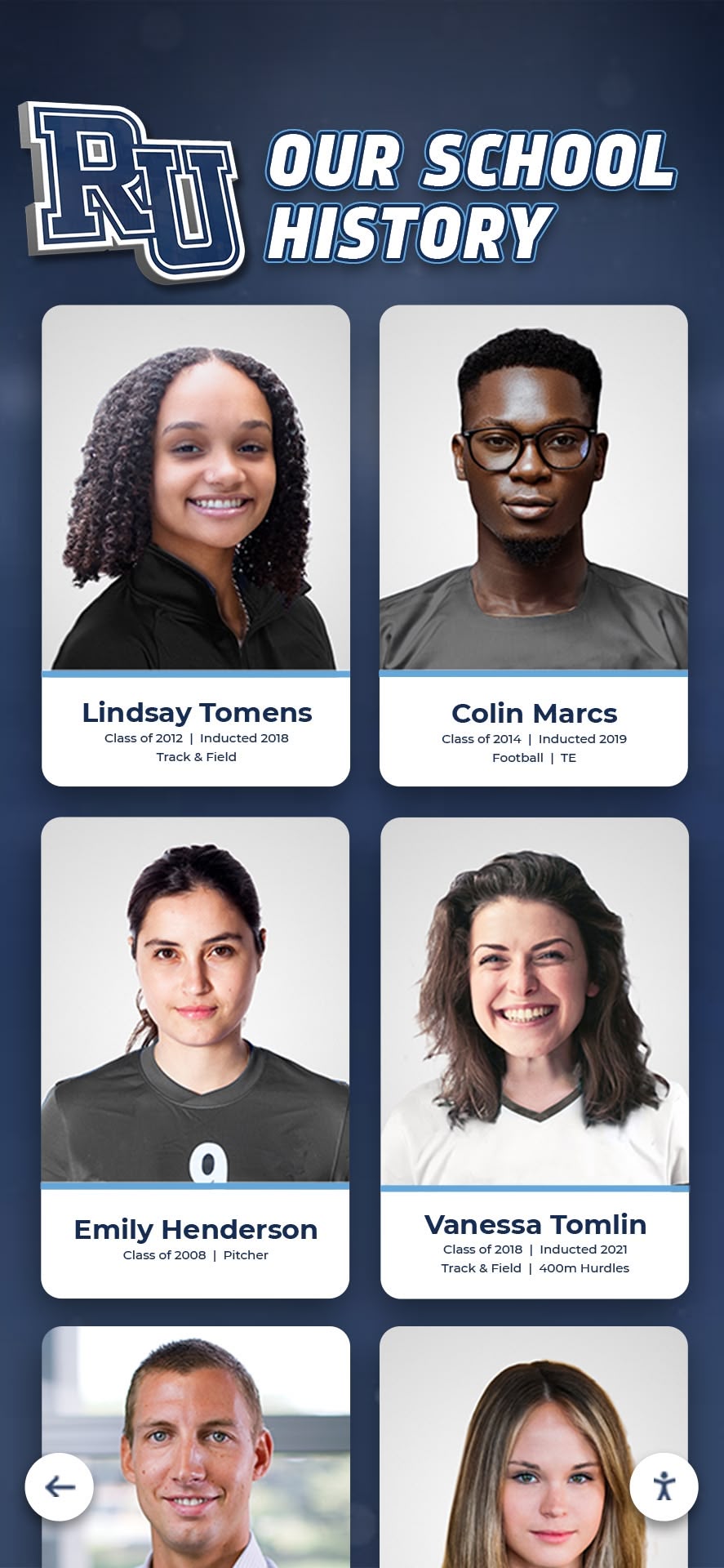
Comprehensive tools preserve complete institutional history across all eras with consistent professional presentation
4. Rise Vision
Category: Educational digital signage Deployment: Cloud-based Best For: Schools using free digital signage for basic announcements
Core Capabilities
Rise Vision offers free digital signage specifically for educational institutions:
- No-cost core platform for qualifying schools
- Template-based content creation
- Basic scheduling and content rotation
- Integration with Google Slides and other common tools
- Educational focus with school-appropriate content
Recognition Approach
Rise Vision functions primarily as announcement and communication platform that can display recognition content created externally. The platform lacks specialized recognition features but provides acceptable solution for simple displays.
Ideal Use Cases
- Budget-constrained schools needing basic recognition displays
- Combining recognition with daily announcements on shared screens
- Simple honor roll or achievement rotations
- Temporary recognition during events or ceremonies
Pricing Structure
Free for qualifying educational institutions with basic features; paid plans add advanced capabilities.
Strengths
- Zero cost for basic educational use
- Simple template-based content creation
- Familiar integration with Google workspace tools
Considerations
- Very limited interactivity and exploration capabilities
- Manual content recreation for each recognition update
- No specialized recognition content management
- Better suited for announcements than permanent recognition
Explore educational recognition alternatives in academic recognition programs with implementation guidance.
5. Raydiant
Category: Professional digital signage Deployment: Cloud-based Best For: Corporate environments with broader digital signage needs
Core Capabilities
Raydiant provides enterprise-grade digital signage with some recognition capabilities:
- Professional content management and scheduling
- Multi-location deployment support
- Third-party app integrations
- Real-time content updates
- Advanced analytics and reporting
- Professional customer support
Recognition Approach
Raydiant works best when recognition represents one component of broader digital signage strategy including wayfinding, announcements, and promotional content. The platform provides solid foundation but lacks recognition-specific features.
Ideal Use Cases
- Corporate offices combining employee recognition with communications
- Venues needing recognition alongside wayfinding and information displays
- Multi-location organizations requiring centralized management
- Institutions with existing Raydiant deployments adding recognition
Pricing Structure
Professional pricing starting around $40-50 per screen monthly with volume discounts for larger deployments.
Strengths
- Professional-grade reliability and support
- Comprehensive multi-location management
- Strong integration ecosystem
Considerations
- Higher cost than simpler alternatives
- No recognition-specific templates or workflows
- Best value when used for multiple signage purposes beyond recognition
- Requires external content creation for each recognition update
6. NoviSign
Category: General digital signage Deployment: Cloud-based Best For: Small organizations with simple display needs
Core Capabilities
NoviSign offers straightforward digital signage with basic features:
- Template-based content creation
- Simple scheduling and playlists
- Cloud-based remote management
- Basic interactive capabilities
- Integration with common content sources
Recognition Approach
NoviSign functions adequately for simple recognition displays where content changes infrequently and deep exploration isn’t required. Organizations create recognition layouts using templates then populate with text and images.
Ideal Use Cases
- Small nonprofits with basic donor recognition needs
- Community centers displaying program alumni
- Youth organizations recognizing volunteers and supporters
- Simple athletic award displays
Pricing Structure
Tiered pricing starting around $8-10 per screen monthly for basic features.
Strengths
- Very affordable entry point
- Simple operation requiring minimal training
- Template variety for different display purposes
Considerations
- Limited recognition-specific capabilities
- Manual updates required for each content change
- Basic interactivity insufficient for large honoree databases
- Better suited for simple static displays than comprehensive recognition
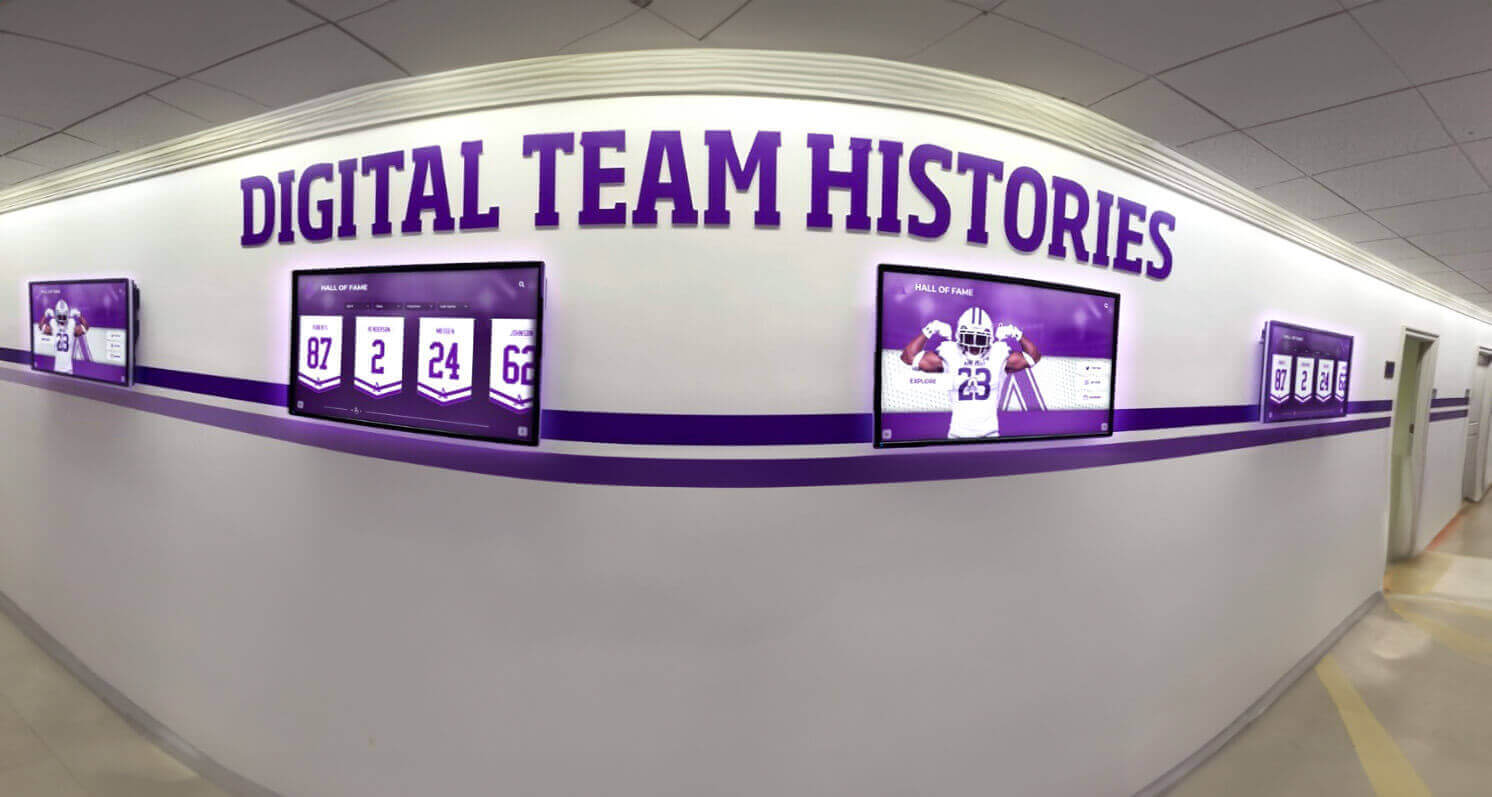
Coordinated multi-display systems provide recognition capacity throughout facilities without overwhelming physical spaces
7. Signagelive
Category: Professional digital signage Deployment: Cloud-based Best For: Organizations with existing display infrastructure
Core Capabilities
Signagelive provides hardware-agnostic digital signage management:
- Device flexibility supporting multiple hardware types
- Cloud-based content management
- Proof-of-play verification for compliance
- Enterprise security and reliability
- Professional implementation support
Recognition Approach
Signagelive works best when organizations already have display hardware and need flexible management software. The platform provides solid foundation but requires external content creation for recognition purposes.
Ideal Use Cases
- Organizations with existing display investments
- Corporate environments requiring hardware flexibility
- Institutions needing proof-of-play documentation
- Multi-venue recognition coordination
Pricing Structure
Professional pricing around $10-20 per screen monthly depending on features and support level.
Strengths
- Hardware flexibility preventing vendor lock-in
- Enterprise-grade security and reliability
- Strong implementation and support services
Considerations
- No recognition-specific features requiring external content development
- Best suited when used alongside broader signage needs
- Interactivity depends on specific hardware capabilities
8. Four Winds Interactive
Category: Enterprise digital signage Deployment: Cloud-based or on-premises Best For: Large institutions with complex multi-location requirements
Core Capabilities
Four Winds Interactive provides enterprise-level digital signage for complex deployments:
- Comprehensive content management across thousands of displays
- Advanced scheduling and dayparting capabilities
- Emergency notification integration
- Extensive third-party integration options
- Professional services and implementation support
- Both cloud and on-premises deployment options
Recognition Approach
Four Winds works best for large institutions where recognition represents one component of campus-wide communication infrastructure. The platform provides enterprise capabilities but requires significant implementation resources.
Ideal Use Cases
- Major universities with hundreds of displays campus-wide
- Health systems combining recognition with patient communications
- Large school districts coordinating multiple buildings
- Enterprise implementations requiring on-premises hosting
Pricing Structure
Enterprise pricing typically requiring custom quotes based on scale and requirements, generally starting in tens of thousands annually for comprehensive implementations.
Strengths
- Enterprise-scale reliability and support
- Comprehensive feature set for complex requirements
- Flexible deployment options
Considerations
- Significant cost and implementation complexity
- Overkill for standalone recognition needs
- Best suited when part of broader digital signage strategy
- Requires dedicated resources for ongoing management
Discover donor recognition approaches in nonprofit donor recognition with implementation strategies.
9. 22Miles
Category: Interactive wayfinding and recognition Deployment: Cloud-based Best For: Venues needing both wayfinding and recognition displays
Core Capabilities
22Miles specializes in interactive touchscreen experiences for wayfinding, directories, and information:
- Purpose-built interactive touchscreen interfaces
- Comprehensive wayfinding and mapping capabilities
- Directory management for people and locations
- Content management for informational displays
- Analytics tracking user interactions
- Integration with building management systems
Recognition Approach
22Miles works best when recognition combines with wayfinding needs in large facilities. The platform provides strong interactive capabilities adaptable for recognition purposes, though not originally designed specifically for hall of fame applications.
Ideal Use Cases
- University student unions combining wayfinding with alumni recognition
- Conference centers showcasing event history alongside navigation
- Corporate campuses integrating employee recognition with building directories
- Museums combining visitor navigation with collection information
Pricing Structure
Professional pricing requiring custom quotes based on implementation scope and feature requirements.
Strengths
- Strong interactive touchscreen capabilities
- Excellent for combined wayfinding and recognition needs
- Professional implementation support
Considerations
- Recognition features require adaptation from wayfinding focus
- Higher cost justified primarily when wayfinding needs exist
- May require custom development for sophisticated recognition workflows
10. ContentCast
Category: Digital signage for education and enterprise Deployment: Cloud-based Best For: Organizations prioritizing emergency notifications with recognition
Core Capabilities
ContentCast provides digital signage emphasizing emergency notification integration:
- Standard content management and scheduling
- Emergency alert system integration
- Multi-campus coordination capabilities
- Cloud-based remote management
- Educational institution focus
Recognition Approach
ContentCast functions adequately for basic recognition displays within broader communication infrastructure emphasizing emergency preparedness. Recognition capabilities remain secondary to primary notification focus.
Ideal Use Cases
- Schools prioritizing emergency notification integration
- Districts requiring coordinated multi-campus communication
- Organizations combining recognition with safety messaging
- Institutions with existing ContentCast deployments
Pricing Structure
Tiered pricing based on number of displays and feature requirements, typically requiring custom quotes.
Strengths
- Strong emergency notification integration
- Multi-campus coordination capabilities
- Educational institution experience
Considerations
- Recognition features limited compared to specialized platforms
- Best value when emergency notification represents primary need
- Manual content creation required for recognition updates
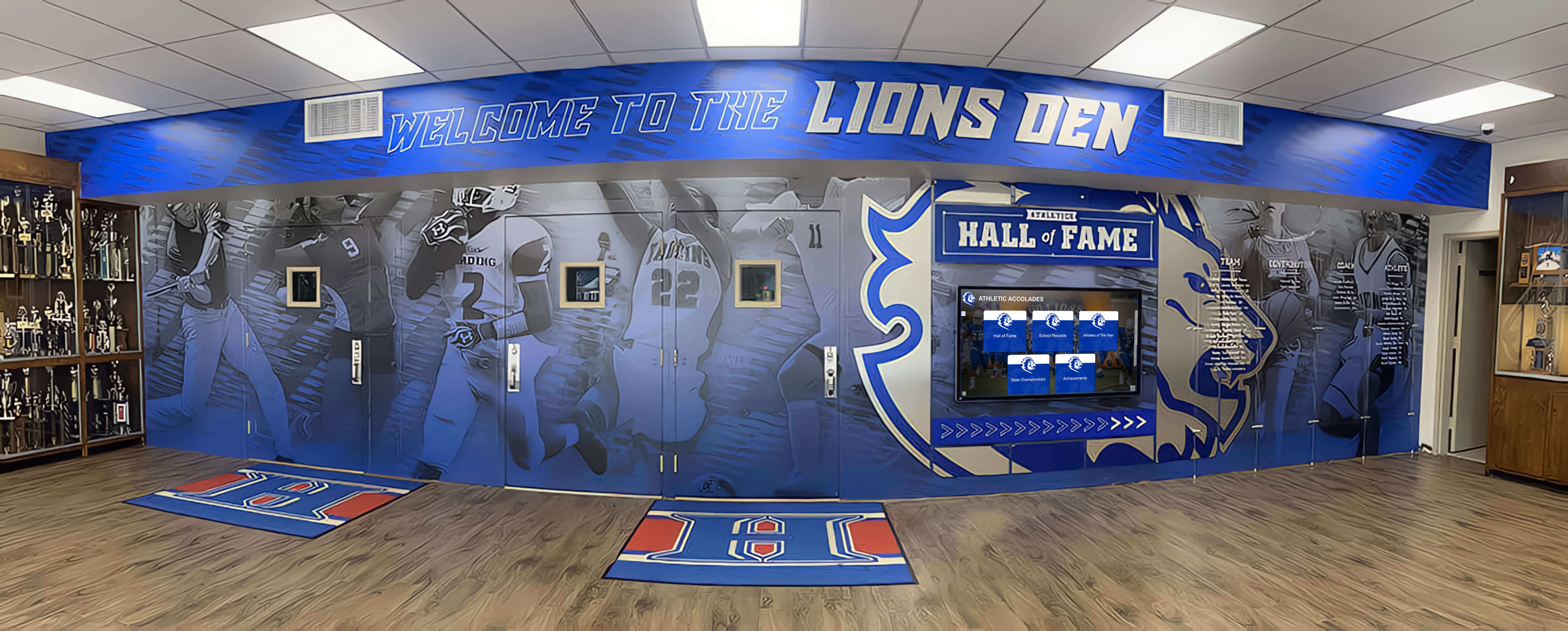
Integrated recognition environments combine traditional physical displays with interactive digital systems creating comprehensive celebration spaces
Comparative Analysis: Choosing the Right Tool
Understanding how different tools compare across critical factors guides selection matching specific institutional needs and priorities.
Feature Comparison Matrix
| Feature | Rocket Alumni | Generic Signage | Open Source | Enterprise |
|---|---|---|---|---|
| Recognition-Specific Templates | Comprehensive | None | Custom Only | None |
| Interactive Touchscreen | Native | Limited | Custom | Varies |
| Content Management Complexity | Simple | Moderate | Technical | Complex |
| Honoree Database Capacity | Unlimited | Manual | Custom | Depends |
| Mobile Web Access | Built-in | Limited | Custom | Varies |
| Statistics Integration | Native | Manual | Custom | Possible |
| Setup Time | Days | Hours | Weeks | Weeks |
| Ongoing Management Burden | Minimal | Moderate | High | Moderate |
| Cost for Recognition Use | Medium-High | Low-Medium | Low-High | High |
Implementation Time Comparison
Different platforms require vastly different implementation timeframes:
Recognition-Specific Platforms (Rocket Alumni Solutions)
- Initial setup: 2-5 days with vendor assistance
- Content migration: 1-4 weeks depending on historical scope
- User training: 2-4 hours for administrators
- Time to launch: 2-6 weeks typically
Generic Digital Signage
- Initial setup: 1-3 days for basic configuration
- Content creation: Ongoing for each recognition update
- User training: 4-8 hours learning content creation tools
- Time to launch: 1-2 weeks for simple displays
Custom Development Platforms
- Initial setup: 2-8 weeks for basic functionality
- Custom development: 4-24 weeks depending on requirements
- User training: Highly variable based on complexity
- Time to launch: 2-6 months realistically
Enterprise Systems
- Initial setup: 4-12 weeks with professional services
- Integration development: 4-16 weeks for connections
- User training: Multiple sessions across user groups
- Time to launch: 3-9 months for comprehensive implementations
Explore implementation approaches in creating digital hall of fame with step-by-step guidance.
Total Cost of Ownership Analysis
Understanding complete cost picture prevents surprises and enables accurate budget planning:
Recognition-Specific Platform (5-Year TCO)
- Software subscription (5 years): $12,000-30,000
- Hardware and installation: $5,000-15,000
- Initial content development: $2,000-8,000
- Ongoing management (internal time): Minimal
- Updates and maintenance: Included in subscription
- Total 5-Year Cost: $19,000-53,000
Generic Digital Signage (5-Year TCO)
- Software subscription (5 years): $3,600-18,000
- Hardware and installation: $5,000-15,000
- Initial content creation: $3,000-10,000
- Ongoing content recreation: $2,000-5,000 annually
- Updates and maintenance: Included in subscription
- Total 5-Year Cost: $18,600-58,000
Custom Development (5-Year TCO)
- Custom development: $15,000-75,000
- Hardware and installation: $5,000-15,000
- Ongoing development and maintenance: $3,000-10,000 annually
- Hosting and infrastructure: $500-2,000 annually
- Internal technical resources: Significant ongoing
- Total 5-Year Cost: $35,500-142,500
Enterprise Platform (5-Year TCO)
- Enterprise licensing (5 years): $25,000-100,000+
- Professional implementation: $10,000-50,000
- Hardware and installation: $8,000-25,000
- Ongoing support and maintenance: $5,000-15,000 annually
- Internal resources for management: Moderate ongoing
- Total 5-Year Cost: $68,000-275,000+
These calculations demonstrate recognition-specific platforms often provide best value when evaluated over realistic timeframes despite higher annual costs compared to generic alternatives requiring extensive manual content work.
Recognition Category-Specific Considerations
Different recognition types create unique requirements influencing tool selection.
Athletic Recognition Requirements
Athletic halls of fame require specialized capabilities:
Essential Features
- Statistics integration and record tracking across multiple sports
- Individual athlete and team recognition simultaneously
- Season-by-season career documentation
- Championship and tournament achievement showcases
- Video highlight integration from game footage
- Coaching and support staff recognition
- Historical record progression and milestone tracking
Ideal Tools
- Rocket Alumni Solutions provides comprehensive athletic recognition with native statistics management
- Generic signage requires manual stat tracking and display creation
- Custom development enables deep integration with athletic management systems
Learn about athletic display options in best ways to showcase athletic achievements with implementation examples.
Donor Recognition Requirements
Donor walls have specific needs differing from other recognition types:
Essential Features
- Giving level organization and display
- Perpetual recognition maintaining visibility permanently
- Anonymous donor accommodation when requested
- Naming opportunity documentation
- Campaign progress visualization
- Memorial tribute capabilities
- Integration with advancement and CRM systems
- Privacy controls appropriate for sensitive information
Ideal Tools
- Recognition-specific platforms provide donor-appropriate templates and perpetual management
- Enterprise systems enable advancement database integration
- Generic signage struggles with long-term donor database management
Explore donor recognition strategies in donor recognition complete guide with comprehensive approaches.
Arts and Performance Recognition Requirements
Showcasing artistic achievement requires unique capabilities:
Essential Features
- Performance documentation across multiple disciplines
- Video integration for performances and exhibitions
- Portfolio and collection galleries
- Exhibition history and reviews
- Collaboration and ensemble recognition
- Behind-the-scenes content revealing creative process
- Event documentation and program preservation
Ideal Tools
- Platforms with strong multimedia support enable rich artistic documentation
- Generic signage provides acceptable solution for simple performance rotation
- Custom systems enable sophisticated portfolio management

Strategically placed recognition kiosks create natural exploration opportunities in high-traffic campus locations
Historical Archive Requirements
Preserving institutional history creates distinct technical needs:
Essential Features
- Timeline visualization capabilities
- Document and artifact digitization support
- Oral history video integration
- Historical context and storytelling
- Era-specific browsing and filtering
- Cross-referencing of related events and people
- Preservation-grade archival storage
- Controlled vocabulary and metadata standards
Ideal Tools
- Recognition platforms with robust archival features support historical preservation
- Museum-specific collection management systems provide sophisticated options
- Generic signage inadequate for complex historical organization
Discover historical preservation approaches in displaying school history with archival strategies.
Implementation Best Practices Across All Tools
Regardless of specific platform selection, certain practices ensure successful recognition program implementation.
Content Strategy Development
Systematic content planning prevents common implementation challenges:
Initial Content Prioritization
- Current year honorees providing immediate relevance
- Recent 5-10 years building substantial contemporary content
- Historical highlights capturing most significant achievements
- Progressive expansion backwards through institutional history
- Quality over quantity in initial launch phase
Content Quality Standards
- Professional photography meeting minimum resolution requirements
- Factual verification through reliable sources
- Consistent biographical format across all honorees
- Appropriate content length balancing depth with accessibility
- Inclusive language reflecting institutional values
Ongoing Content Management
- Immediate recognition workflow adding new honorees promptly
- Quarterly content enhancement expanding existing profiles
- Annual archive expansion systematically adding historical content
- Community contribution processes engaging alumni and families
- Regular quality audits maintaining presentation standards
User Experience Optimization
Thoughtful design ensures recognition systems engage visitors effectively:
Interface Design Principles
- Intuitive navigation requiring no instructions
- Clear visual hierarchy guiding exploration
- Search functionality enabling quick discovery
- Filter options supporting multiple browse approaches
- Featured content rotation ensuring all honorees receive visibility
- Mobile-responsive design accommodating all devices
- Accessibility compliance supporting users with disabilities
Engagement Features
- High-quality images capturing visitor attention
- Compelling biographical storytelling beyond statistics
- Video content providing emotional connection
- Social sharing enabling organic promotion
- Print-friendly pages supporting family preservation
- QR codes linking physical displays to web content
Learn engagement strategies in design touchscreen experiences with user-centered approaches.
Analytics and Continuous Improvement
Regular assessment enables recognition optimization:
Key Metrics to Track
- Display interaction frequency and session duration
- Most-viewed content revealing visitor interests
- Search queries showing discovery patterns
- Peak usage times informing content scheduling
- Geographic distribution of web traffic
- Social sharing frequency measuring organic promotion
- User feedback and satisfaction ratings
Optimization Actions
- Feature adjustments based on usage patterns
- Content enhancement for popular categories
- Navigation refinements improving discoverability
- Featured content rotation ensuring equitable visibility
- Technical performance optimization maintaining responsiveness
Conclusion: Selecting Your Ideal Hall of Fame Tool
Choosing appropriate hall of fame tools fundamentally shapes recognition program success, influencing everything from administrative efficiency and content quality to visitor engagement and long-term institutional culture. The platforms examined in this comprehensive guide represent different approaches to common recognition challenges—specialized tools purpose-built for hall of fame applications, generic digital signage adaptable for recognition purposes, and enterprise systems supporting recognition within broader institutional communication infrastructure.
For most educational institutions, athletic programs, and organizations managing comprehensive recognition across multiple categories, purpose-built platforms like Rocket Alumni Solutions deliver optimal value through features specifically addressing common hall of fame challenges: unlimited honoree capacity, interactive touchscreen experiences, intuitive content management requiring minimal training, mobile web accessibility extending recognition reach, and perpetual archival preservation maintaining institutional legacy permanently.
Ready to Transform Your Recognition Program?
Discover how comprehensive hall of fame tools enable recognizing unlimited achievements across athletics, academics, donors, arts, and institutional history through intuitive platforms engaging your community and preserving legacy permanently.
Explore Recognition SolutionsGeneric digital signage platforms serve adequately for simple recognition needs where content changes infrequently and deep exploration isn’t required—basic donor walls, rotating trophy case replacements, or simple achievement displays benefit from low-cost entry points these solutions provide. However, institutions managing substantial honoree databases, requiring regular updates, or seeking engaging interactive experiences quickly encounter limitations generic tools create through lack of recognition-specific features and manual content management requirements.
Custom development and enterprise platforms justify investment primarily for organizations with unique requirements generic tools cannot address or when recognition represents one component of broader digital infrastructure projects already underway. Technical institutions with development resources may successfully implement custom solutions, while large multi-campus organizations benefit from enterprise coordination capabilities despite significant complexity and cost.
Start by clearly defining your recognition objectives, technical capabilities, and budget constraints—then systematically evaluate tools against these specific requirements rather than selecting based solely on initial cost or feature lists disconnected from actual needs. Consider total cost of ownership over realistic 5-7 year timeframes rather than comparing only first-year expenses, accounting for ongoing content management burden, technical support requirements, and administrative time investments different platforms demand.
Your institutional achievements, honorees, and legacy deserve recognition systems celebrating dedication and excellence while strengthening community connection and pride. With thoughtful tool selection matching your specific needs, systematic implementation following proven best practices, and sustained commitment to quality content and visitor experience, you can create digital hall of fame programs becoming cherished traditions preserving institutional culture while inspiring excellence for decades to come.
Ready to implement comprehensive recognition? Book a demo exploring how purpose-built hall of fame tools address your specific recognition challenges across athletics, academics, donors, arts, and historical preservation.































